那年那月那时,我闲了蛋疼去刷机,于是给整机数据备份了。刷机的时候脑壳发热把数据全清了,备份的数据也没电脑备份,相册查看时每次都要同步不下载,然后官网还没有批量下载,我真想哎呦,艾瑞巴蒂在你头上暴扣,漏福来儿,我也不是爱豆。(代码与jar包文章结尾)
言归正传,屁话不多说。由于能力有限,找不出官网的密码加密,所以也就不麻烦了,因为还附带了一些参数,直接登陆官网,请求相册,取到cookie。
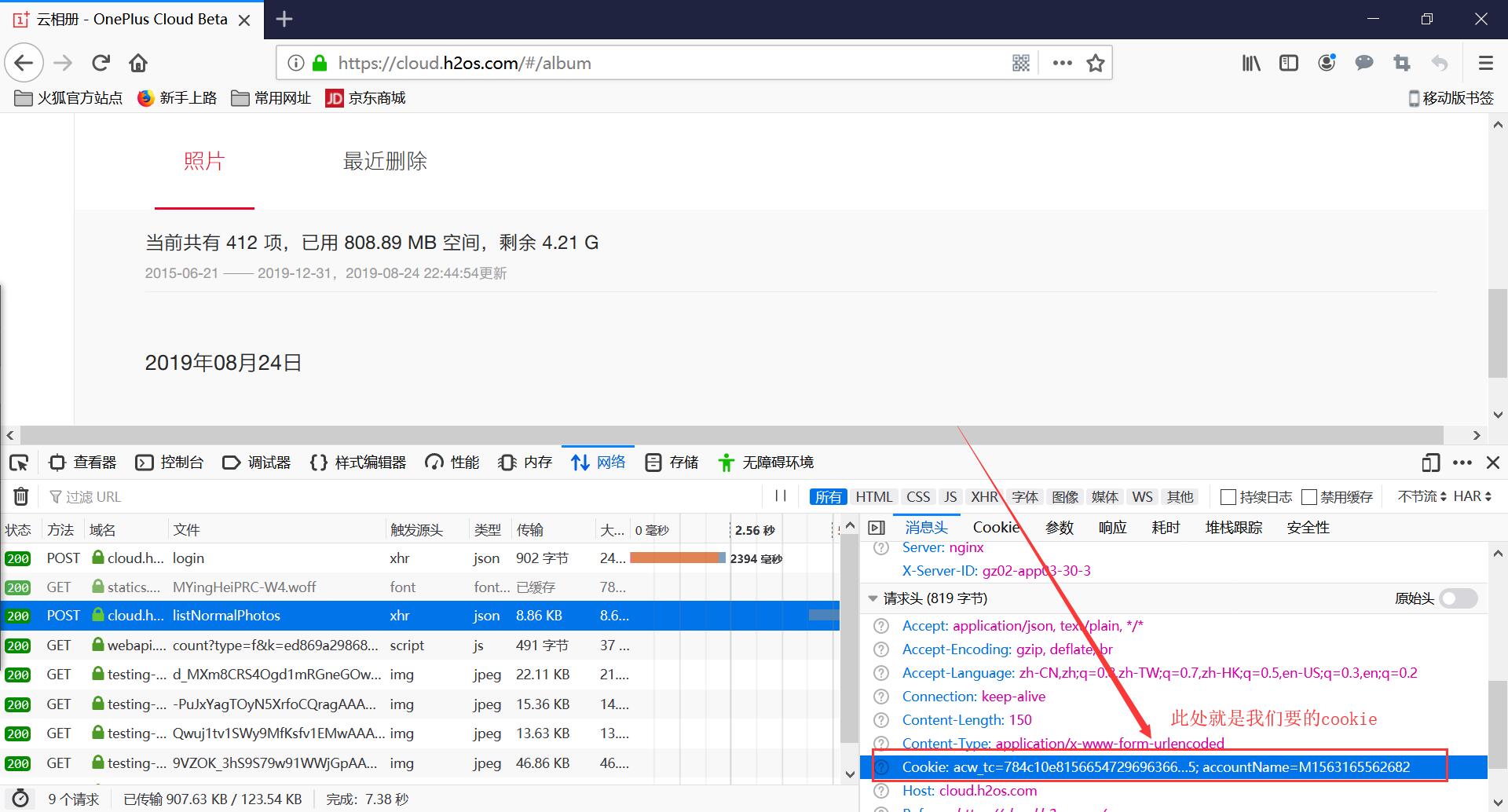
初次请求相册
请求地址https://cloud.h2os.com/gallery/pc/listNormalPhotos
请求参数:size=100&state=active&smallPhotoScaleParams=image/resize,m_mfit,h_250,w_250&originalPhotoScaleParams=image/resize,m_mfit,h_1300,w_1300
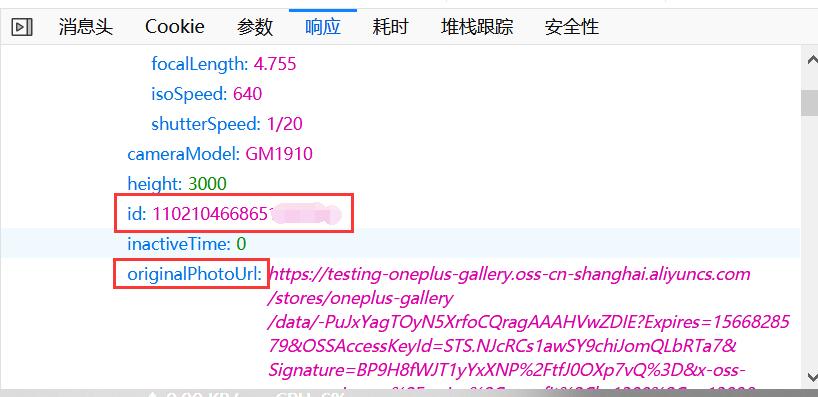
返回json,photos节点就是我们要的数据,附带图片id,和压缩过的图片地址originalPhotoUrl,smallPhotoUrl。这个originalPhotoUrl还真是女人的嘴,骗人的鬼,original是原件,原来的意思,让我以为是无压缩文件。等下载下来看文件大小才发现我就是个憨憨,不或许我就是个弟弟。待会需要这个id得到真实的地址。
继续找规律发现返回的json数据中lastMatchedMoment这个数据是需要用来下次请求用的,时间节点,作为下次请求数据中的游标,还有这个参数realPhotoIndex,不晓得干嘛用的。不管他,拿他就对了。

我们继续向下滚动,还会出现listNormalPhotos这个请求,因为每次加载有限,第二次请求就要基础数据带上面的参数了。
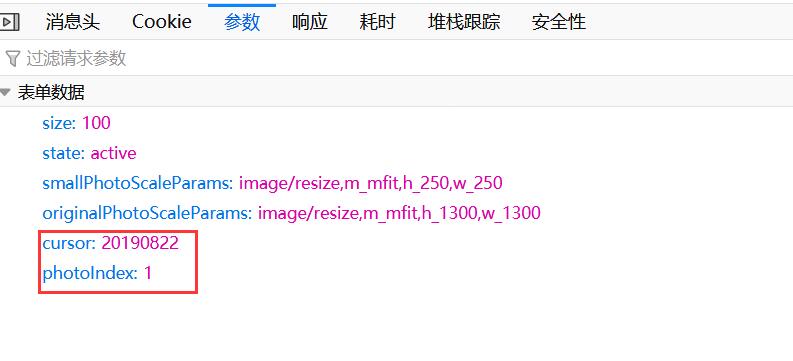
好了,这个地方就已经获得所有图片的信息,通过json解析拿到图片id,请求真实地址。然后下载,美滋滋。
请求地址:https://cloud.h2os.com/gallery/pc/getRealPhotoUrls
参数:ids:=["图片id"]
这个时候根据返回的数据,拿到图片无压缩地址。
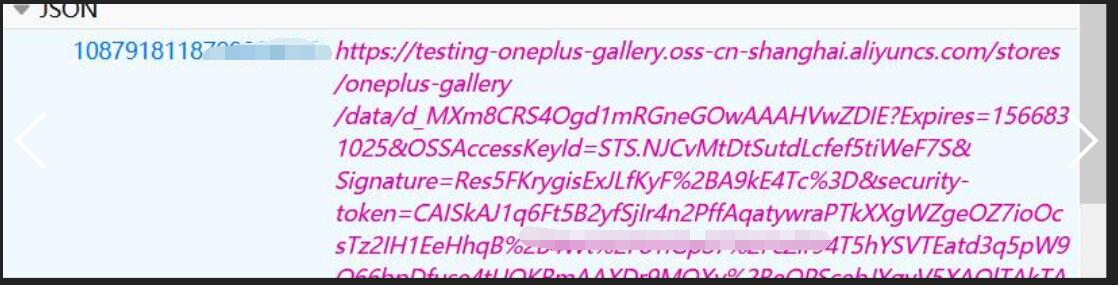
ps:cookie有时效性,失效后台会爆403的错误,这个时候重新登陆网站后获取新cookie替换即可。
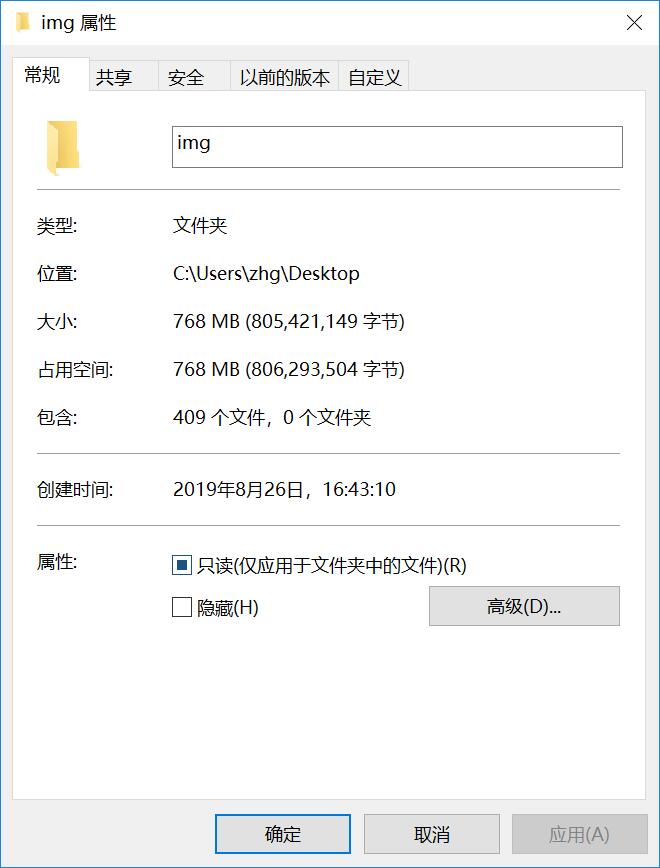
成果:
遇到的问题:
1.请求返回403,由于cookie失效导致的,好像还有浏览器标识,用火狐得到解决,之后的403都是cookie失效。
2.请求无压缩地址返回500,哎,瞎了狗眼,参数用k:v,其实是k=v。纳闷的是请求图片列表时参数用的是冒号,竟然能有数据返回。
3.解析json,拿到图片id。由于返回的数据是json套json数组,时间节点又不固定,取值就很烦,可把我累坏了,本来基础就差,刚玩java。不过世上无难事,只怕有心人,终于还是查资料找到了。
总结:真的是不想手动下载,跑来搞了这么个东西。希望也可以帮到需要这个东西的加友,一加官方你可长点心吧,同步相册竟然不下载,我们想手动下载还没有批量,我也是佛了。
以下是java代码(你们只需要替换cookie和保存路径):
import java.io.BufferedReader;
import java.io.ByteArrayOutputStream;
import java.io.DataInputStream;
import java.io.File;
import java.io.FileInputStream;
import java.io.FileOutputStream;
import java.io.FileReader;
import java.io.IOException;
import java.io.InputStreamReader;
import java.io.PrintWriter;
import java.io.Reader;
import java.net.HttpURLConnection;
import java.net.MalformedURLException;
import java.net.URL;
import java.util.ArrayList;
import java.util.HashMap;
import java.util.Map;
import sun.misc.BASE64Encoder;
import com.alibaba.fastjson.JSON;
import com.alibaba.fastjson.JSONArray;
import com.alibaba.fastjson.JSONObject;

/**

 * <p>Title: Test.java</p>

 * <p>Description:Oneplus相册爬虫(无压缩) </p>

 * <p>Company: www.zhguo.vip</p>

 * @author zhenghuiguo

 * @date 2019-8-23

 * @version 1.0

 * Readme:请在官网登录https://cloud.h2os.com,点击相册,请求后拿到cookie替换到本程序cookie。

 */


public class Test {


	public static void main(String[] args) throws  Exception{
		int count=0;
		  ArrayList<String> arr= new ArrayList<String>();
		   Map<String, String> hashmap=new HashMap<String, String>();
		//文件保存路径
		String saveImgPath="C://Users//zhg//Desktop//img//";
        //获取相册列表
		//cursor=20190822&photoIndex=1
		//lastMatchedMoment   realPhotoIndex
		//初始化数据
		String data="size=100&state=active&smallPhotoScaleParams=image/resize,m_mfit,h_250,w_250&originalPhotoScaleParams=image/resize,m_mfit,h_1300,w_1300";
        String urlpath="https://cloud.h2os.com/gallery/pc/listNormalPhotos";
        String cookie="此处需要替换";
        while(true){
        //post请求得到json数据
        String postServer = PostServer(data, urlpath, cookie);
        //重置data基础数据
        data="size=100&state=active&smallPhotoScaleParams=image/resize,m_mfit,h_250,w_250&originalPhotoScaleParams=image/resize,m_mfit,h_1300,w_1300";
        System.out.println("postServer"+"======"+postServer);
        JSONObject jobj = JSON.parseObject(postServer);
        System.out.println("下一个时间段"+jobj.getString("lastMatchedMoment")+"....."+"下一个index"+jobj.getString("realPhotoIndex"));
        //获取下一页游标
        String lastMatchedMoment=(jobj.getString("lastMatchedMoment"))== null?null:jobj.getString("lastMatchedMoment");
        String photoIndex=(jobj.getString("realPhotoIndex"))== null?null:jobj.getString("realPhotoIndex");
        //判断下一页是否有值
        if(lastMatchedMoment!=null&&!"".equals(lastMatchedMoment)&&photoIndex!=null&&!"".equals(photoIndex)){
        	data=data+"&cursor="+lastMatchedMoment+"&photoIndex="+photoIndex;
        }
        //System.out.println("name"+jobj.get("photos"));
      //拿到photos节点
      JSONObject photosjson = jobj.getJSONObject("photos");
      //将photosjson赋值给map1,便于后面遍历时间节点。由于时间节点不固定,无法准确拿到json数据。
      Map map1 = photosjson;
      //遍历出key值存入arr
      for (Object o : map1.entrySet()) {
              Map.Entry<String,JSONArray> entry = (Map.Entry<String,JSONArray>)o;
              arr.add(entry.getKey());
      }
      //遍历每个时间节点的值
      for (int i = 0; i < arr.size(); i++) {
			JSONArray photos = photosjson.getJSONArray(arr.get(i));
			//遍历每个时间节点下的多个照片
			for (int j = 0; j < photos.size(); j++) {
				JSONObject phototimeJson = (JSONObject) photos.get(j);
				String title=phototimeJson.getString("title");
				//得到图片id,存入hashmap<"title","id">
				String img_id=phototimeJson.getString("id");
				hashmap.put(title, img_id);
			}

      }
        for(String key : hashmap.keySet()){
        	String realPathJson = Downimg.getRealPath(hashmap.get(key), cookie);
        	JSONObject j=JSONObject.parseObject(realPathJson);
        	String  realPath = j.getString(hashmap.get(key));
        	Downimg.downloadPicture(realPath, saveImgPath+key);
        	count++;
        }
        if(lastMatchedMoment.equals("EOF")){
        	System.out.println("下载完成"+">>>>>文件个数:"+count+"个");
        	return ;
        }
        //清空数据
        map1.clear();
        hashmap.clear();
        arr.clear();
        System.out.println("清空完成");
       }
	}

  //Post请求
  		public static String PostServer(String data,String urlpath,String cookie){
  				PrintWriter out = null;
  		        BufferedReader is = null;
  		        String result = "";
  			try {
  	            URL url = new URL(urlpath);
  	            //打开和url之间的连接
  	            HttpURLConnection conn = (HttpURLConnection) url.openConnection();
  	            conn.setRequestProperty("accept", "*/*");
  	            conn.setRequestProperty("connection", "Keep-Alive");
  	            conn.setRequestProperty("User-Agent", "Mozilla/5.0 (Windows NT 10.0; Win64; x64; rv:68.0) Gecko/20100101 Firefox/68.0");
  	            conn.setRequestProperty("Host", "cloud.h2os.com");
  	            conn.setRequestProperty("referer", "https://cloud.h2os.com/");
  	            conn.setRequestProperty("Cookie", cookie);
  	            conn.setRequestMethod("POST");//GET和POST必须全大写
  	            conn.setDoOutput(true);
  	            conn.setDoInput(true);
  	            out = new PrintWriter(conn.getOutputStream());//获取URLConnection对象对应的输出流
  	            out.print(data);//发送请求参数即数据
  	            out.flush();//缓冲数据
  	         // 定义BufferedReader输入流来读取URL的响应
  	            is = new BufferedReader(
  	                    new InputStreamReader(conn.getInputStream()));
  	            String line;
  	            while ((line = is.readLine()) != null) {
  	                result += line;
  	            }
  	        } catch (Exception e) {
  	            System.out.println("发送 POST 请求出现异常!"+e);
  	            e.printStackTrace();
  	        }
  	        finally{
  	            try{
  	                if(out!=null){
  	                    out.close();
  	                }
  	                if(is!=null){
  	                    is.close();
  	                }
  	            }
  	            catch(IOException ex){
  	                ex.printStackTrace();
  	            }
  	        }
  	        return result;
  	    }


  		 //根据id得到无压缩图片地址
  		 public static String getRealPath(String Imgid,String cookie){
  			 String urlpath="https://cloud.h2os.com/gallery/pc/getRealPhotoUrls";
  			 String data="ids=[\""+Imgid+"\"]";
//  			 System.out.println("imgId"+"====="+data);
  			 String realImgPath = PostServer(data, urlpath, cookie);
  			 return realImgPath;
  		 }
  		 //链接url下载图片
  	    public static void downloadPicture(String urlPath,String savePath) {
  	        URL url = null;
  	        try {
  	            url = new URL(urlPath);
  	            DataInputStream dataInputStream = new DataInputStream(url.openStream());
  	            File file=new File(savePath);
  	            if(!file.exists()){
  	            FileOutputStream fileOutputStream = new FileOutputStream(file);

  	            ByteArrayOutputStream output = new ByteArrayOutputStream();

  	            byte[] buffer = new byte[1024];
  	            int length;

  	            while ((length = dataInputStream.read(buffer)) > 0) {
  	                output.write(buffer, 0, length);
  	            }
  	            BASE64Encoder encoder = new BASE64Encoder();
  	            String encode = encoder.encode(buffer);//返回Base64编码过的字节数组字符串
//  	            System.out.println(encode);
  	            fileOutputStream.write(output.toByteArray());
  	            dataInputStream.close();
  	            fileOutputStream.close();
  	            }else{
  	            	System.out.println("文件已存在");
  	            }
  	        } catch (MalformedURLException e) {
  	            e.printStackTrace();
  	        } catch (IOException e) {
  	            e.printStackTrace();
  	        }

  	    }
}
jar包下载地址:https://cloud.189.cn/t/Nvi2uanANRzu(访问码:zs99)
运行后直接浏览器打开:localhost,填写cookie使用。